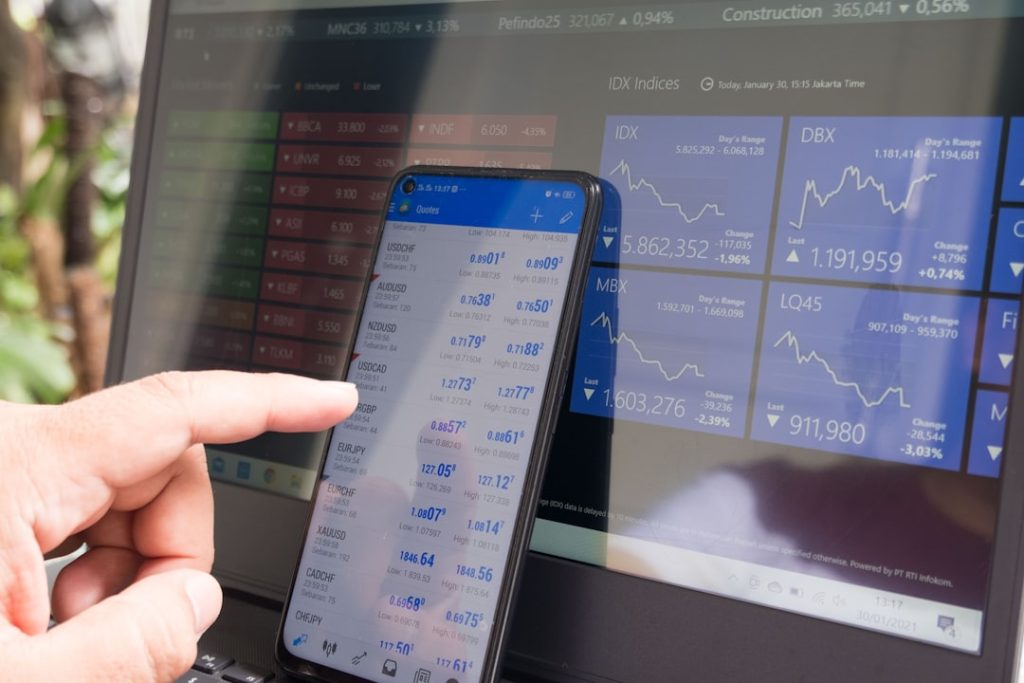
MetaTrader 4 is widely recognized as a practical trading platform because it combines charting, order management, market analysis, and automated trading features in one workspace. For traders exploring the platform through ironfx metatrader 4, understanding how its tools work can make the trading environment easier to navigate and organize. Rather than focusing only on opening or closing positions, a professional approach involves learning how charts, indicators, market information, and account controls interact. A structured understanding of these functions can help users build a consistent platform routine while making better use of the available analytical resources.
Table of Contents
- Platform Overview and Workspace Organization
- Charting Tools for Market Analysis
- Technical Indicators and Analytical Resources
- Order Management Features
- Economic Information and Market Awareness
- Automated Trading With Expert Advisors
- Alerts and Monitoring Functions
- Customization and Personal Workflows
- Using the Platform for Structured Research
- Risk Awareness and Platform Discipline
- Final Perspective
Platform Overview and Workspace Organization
MetaTrader 4 is designed around a straightforward workspace that allows traders to monitor markets and manage trading activity from a single interface. The platform commonly includes several core areas, such as the Market Watch window, Navigator panel, chart section, and terminal area.
The Market Watch section provides access to available instruments and their current trading information. Traders can select an instrument and open its chart without navigating through multiple screens. This can be useful when monitoring several markets during the same trading session.
The Navigator panel provides access to account information, indicators, expert advisors, and other platform resources. Its organized structure allows traders to locate tools without unnecessarily complicating the workspace.
The terminal area is particularly useful for monitoring account activity. It can display open positions, pending orders, account history, alerts, and other relevant information. Keeping these areas arranged logically can make the platform easier to use during active market conditions.
Charting Tools for Market Analysis
Charts are among the most frequently used features within MetaTrader 4. They allow traders to observe historical price movement and analyze how an instrument has behaved over different periods.
Several chart formats are available, including line, bar, and candlestick views. Candlestick charts are especially popular because they display opening, closing, high, and low price information within each selected period.
Traders can also adjust chart timeframes according to their analytical requirements. Shorter timeframes may help users examine more immediate price movements, while longer timeframes can provide broader market context.
The platform also supports visual objects such as trendlines, horizontal lines, channels, arrows, and other analytical markers. These tools can help traders identify areas of interest and maintain visual notes directly on charts.
A professional charting routine should remain organized. Excessive indicators and drawing objects can make a chart difficult to interpret. Selecting only relevant tools can support clearer analysis.
Technical Indicators and Analytical Resources
MetaTrader 4 provides a collection of technical indicators that can be applied to charts. These indicators process historical price information to help traders examine trends, momentum, volatility, and market conditions.
Moving averages, for example, are commonly used to study the general direction of price movement. Oscillators can provide additional information about momentum, while volatility-related indicators can help traders examine changes in market activity.
Indicators should not be treated as automatic decision-making systems. Their usefulness depends on how they are applied and combined with broader market analysis. Traders can experiment with different settings within a practice environment before incorporating a particular method into their routine.
The platform also allows users to save chart arrangements and indicator configurations. This can reduce repetitive setup work when reviewing multiple instruments.
Order Management Features
Order management is another important component of MetaTrader 4. The platform supports different methods of entering and managing trades, depending on the available account configuration and market conditions.
Market orders are generally used when a trader wants to enter a position based on the currently available market conditions. Pending orders can be used when a trader wants an order to activate only after a specified market condition is reached.
Stop-loss and take-profit levels can also be associated with positions where supported. These functions are commonly used to establish predefined exit conditions.
The ability to modify existing orders provides additional flexibility. Traders can review an open position and adjust relevant parameters when appropriate.
Careful order management is essential because trading decisions involve risk. A well-organized platform can make order information easier to review, but the platform itself does not eliminate market uncertainty.
Economic Information and Market Awareness
Technical analysis is only one part of a broader trading process. Market-moving developments can influence price behavior, making economic awareness important for traders who use fundamental information alongside chart analysis.
MetaTrader 4 can provide access to market-related information depending on the services connected to the trading account. Traders should remain aware of scheduled economic developments, central bank decisions, financial announcements, and other events relevant to the instruments they monitor.
Maintaining an economic calendar outside or alongside the platform can also help create a more complete market review process. The objective is not to predict every market movement but to understand the conditions surrounding a trading decision.
Automated Trading With Expert Advisors
One of the notable features of MetaTrader 4 is its support for automated trading through Expert Advisors, commonly known as EAs.
An Expert Advisor can follow programmed trading rules and perform predefined actions when specified conditions occur. This can help traders test systematic approaches without manually monitoring every market movement.
However, automation requires careful testing. An automated strategy should be examined in a controlled environment before being considered for live use. Historical testing can provide useful information about how a programmed approach behaved under previous market conditions, although past results do not guarantee future outcomes.
Users should also monitor automated systems after deployment. Software logic, market conditions, execution environments, and trading parameters can all influence results.
Alerts and Monitoring Functions
Alerts can assist traders who do not want to watch charts continuously. Depending on the configuration, platform alerts may notify users when selected market conditions occur.
For example, a trader may establish an alert around a particular price level or technical condition. This can reduce the need for constant manual chart observation.
Effective alerts should be selective. Creating too many notifications may produce unnecessary information and make it harder to identify important developments. A focused alert system is generally easier to manage.
Customization and Personal Workflows
Customization allows traders to adapt MetaTrader 4 to their preferred working style. Charts can be resized, arranged, and configured according to individual requirements.
Templates can also be useful when a trader repeatedly applies a similar chart structure. Instead of rebuilding indicators and visual settings for every instrument, a saved template can provide a consistent starting point.
Profiles can support broader workspace organization. Traders monitoring different groups of instruments may find separate profiles useful for maintaining distinct analytical environments.
A consistent layout can improve familiarity with the platform. When market conditions change quickly, knowing where relevant information is located can reduce unnecessary navigation.
Using the Platform for Structured Research
A strong trading workflow usually begins with observation rather than immediate order placement. Traders can start by reviewing broader market conditions, selecting instruments for closer examination, and then studying price charts.
The next stage may involve identifying relevant technical structures, reviewing supporting indicators, and considering potential scenarios. Order parameters can then be assessed based on the trader’s established plan.
Keeping notes about completed trades can further improve the research process. Traders can record why a position was considered, which conditions were present, and how the trade developed afterward.
This approach turns the platform into more than an execution interface. It becomes a working environment for observation, analysis, and review.
Risk Awareness and Platform Discipline
Trading tools can improve organization, but they cannot remove financial risk. Market prices can move rapidly, and unexpected developments can change conditions without warning.
A disciplined approach involves understanding order types before using them, reviewing trade parameters carefully, and avoiding decisions based solely on short-term market noise.
Position sizing, stop-loss planning, diversification, and trade review are broader risk-management considerations that should be determined according to an individual’s circumstances and trading plan.
The platform can provide the mechanisms needed to implement these decisions, but responsibility for using those mechanisms remains with the trader.
What is MetaTrader 4 primarily used for?
MetaTrader 4 is used for market analysis, charting, trade execution, order management, and automated trading through supported Expert Advisors. Its combination of analytical and operational tools makes it a comprehensive trading workspace.
Can traders customize MetaTrader 4?
Yes. Users can customize chart layouts, indicators, templates, profiles, and other workspace elements. Customization can make repeated analytical tasks more efficient and easier to organize.
Are technical indicators necessary?
Technical indicators are optional analytical tools. Some traders use several indicators, while others rely mainly on price charts and market structure. Their usefulness depends on the individual’s methodology and objectives.
What are Expert Advisors?
Expert Advisors are software programs designed to automate predefined trading rules within the platform. They can assist with systematic strategies, but they require appropriate testing and monitoring.
How can alerts help traders?
Alerts can notify traders when selected market conditions occur. They can be useful for monitoring price levels or other predefined conditions without continuously watching a chart.
Why is order management important?
Order management helps traders control how positions are opened, modified, and closed. Understanding available order types and related parameters can reduce operational mistakes.
Final Perspective
MetaTrader 4 offers a broad collection of tools for chart analysis, order management, monitoring, customization, and automation. The most effective use of these functions begins with understanding what each feature does and incorporating only relevant tools into a clear trading workflow. Whether reviewing charts, setting alerts, managing positions, or testing automated strategies, traders can use the platform as a structured environment for research and execution. A professional approach emphasizes preparation, consistency, careful risk awareness, and continuous review rather than relying on any single feature to determine trading decisions.
At a Glance
- MetaTrader 4 integrates charting, order management, market analysis, and automated trading into a single platform for traders.
- The platform is organized into core areas such as the Market Watch window, Navigator panel, chart section, and terminal area, facilitating easier market monitoring and activity management.
- Traders can analyze historical price movements using various chart formats, including line, bar, and candlestick views, with the ability to adjust timeframes for detailed analysis.
- MetaTrader 4 provides a collection of technical indicators that help traders analyze trends and market conditions but requires users to apply them thoughtfully alongside broader market analysis.
- Order management features include market orders and pending orders, which allow traders to establish specific trading conditions and modify orders as needed.
- Economic awareness is crucial for traders, as market-moving developments can influence price behavior, and MetaTrader 4 can connect to services providing relevant market information.